Steam Deck
Intro
My good friend owned the OG LCD model, but even with his praise of the device, I needed some time for it to click.
I was looking for WoT replacement and somehow avoid sitting at the same spot after work and play games.
Hardware upgrades
Hall sticks
Probably one of the unneccessary upgrades, replacing the joysticks with Hall effect ones. I bought HandheldDIY tighter sticks. Replacing them was easy, but I see almost no difference while using. Stronger resistance was not really observable in my case. There is huge difference in dead zone, original ones could go as low as 4192, but I can use the lowest setting at around 2000 now. They are not fully circular, but even 8bitdo gamepad joysticks are not. I have also added some cheap rubber joystick protectors after experimenting with teflon tape (works great, but one needs to reapply it constantly).
Silicon grips
I have tried random two piece silicon grip from China, unfortunately the grips are soft and not fitting the device very good. I hate the crooked look, so won’t use them.
Grip tape
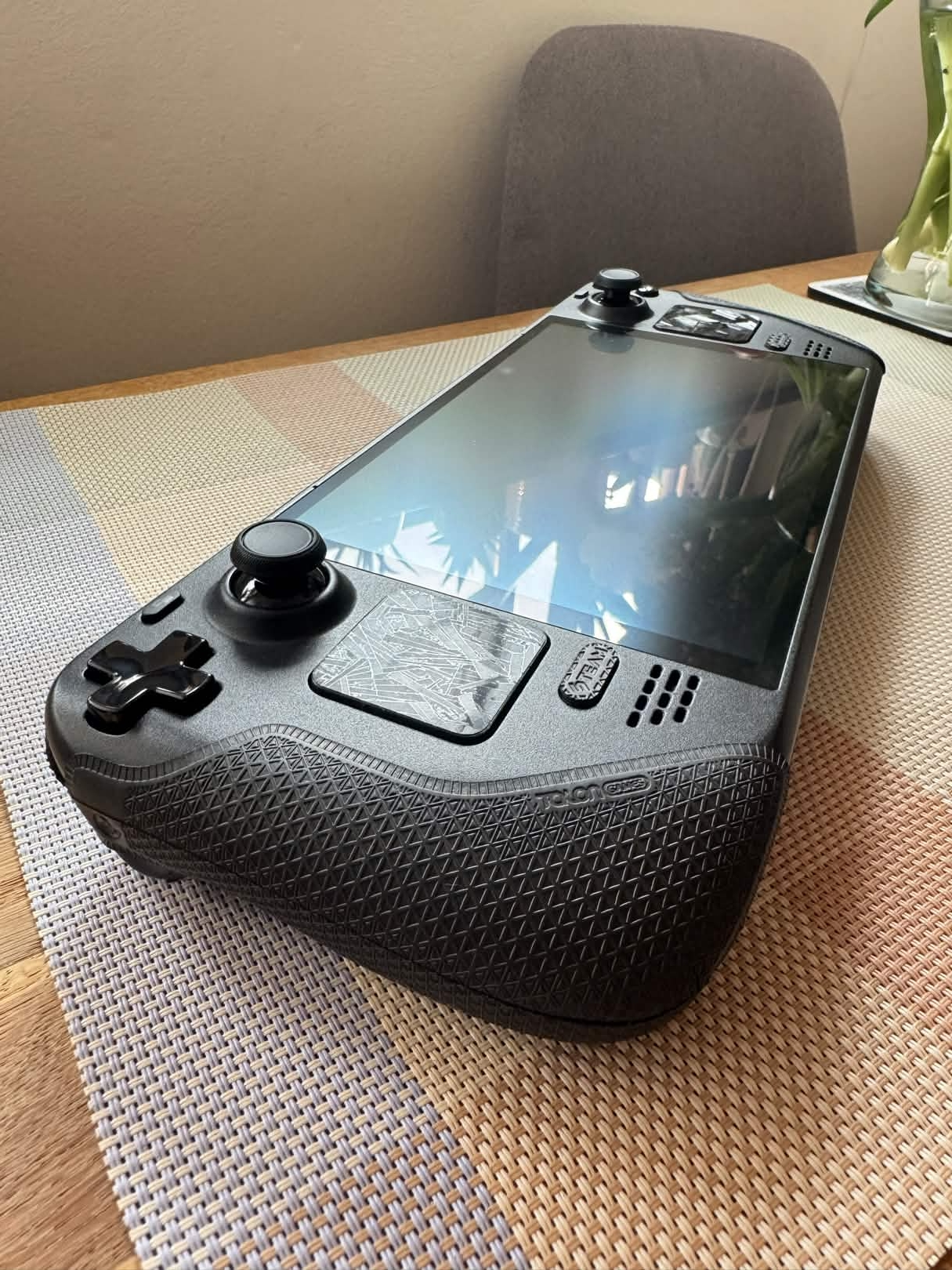
To improve grip stability, I have added grip tape (Talongames Ultra grip tape) to the grips and covered the trackpads with raw carbon fiber look stickers. It fixes the issue of the slipping device and makes it sit on the hard surfaces better.
Games I have enjoyed
- ETS2
- Dredge
- Dave the Diver
- Brotato
- ARC Raiders
- Assetto Corsa Rally
- FH5
- It takes two (docked on TV)
- Vampire Survivors
- GTA III
- Skyrim
- SDV
- Fields of Mistria
- Halls of Torment
Geforcenow
I am against not owning my hardware, but even I have my weakspots, GFN is one of them.
Playing games on Steam Deck with ultra high settings is amazing.
Performance tier is enough, as you don’t need 4k and GFN is limited to only 60Hz to Deck for now, they will fix that in the future. If you want to play 4k TV on docked Dock, you need the ultimate package. Honestly 4k is overrated, I played tons of games natively on TV with docked Deck.
FOr game sync, set Steam profile privacy on “Public” for all the settings, then resync in GFN Settings/Connections.
Hold ≡/“start” to get the overlay with GFN settings.
For mic to work, don’t forget to enable it in Deck Settings and here in GFN settings.
If scaling is broken, set deck resolution to native/default/1280x800 and run GFN in desktop mode Steam. Afterwards it gets back to normal size.
Emulation
Lutris
Additions
Install protonup-qt in desktop mode, so you can install additional Proton libraries without hassle.