New 'Keeb'
Intro
After almost ten years of daily use, my Das Keyboard Ultimate 4 with Cherry MX brown switches is showing its age. Don’t get me wrong, it still works perfectly, alas the few polished ABS keycaps, mainly WASD, but I wanted something new, something different, something “thocky” or “clacky”. Whatever that is…
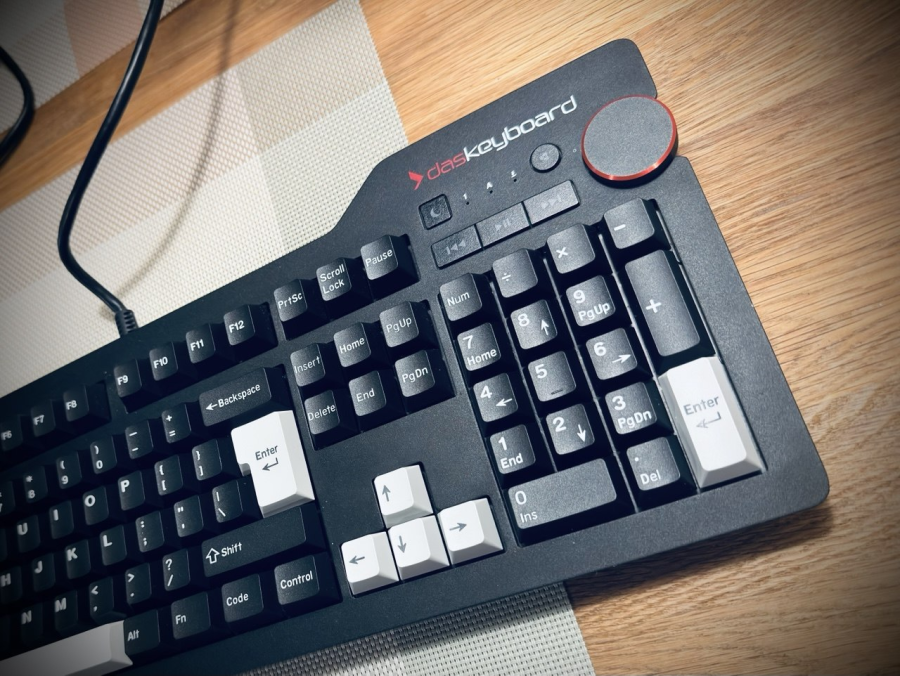
In the mean time, I have upgraded this one with some KBDiy PBT double-shot keycaps (WoB + BoW accents). Except the few wonky “prints”, the keycap set is great value for the money. Looks brand new and the feel improved slightly.
Wishes
I have started with a few wishes:
- Classical mechanical keyboard, no Hall effect, no TMR, I will type not play games on it.
- Clicky switches, that turned out to be a thing of past, so I have opted for tactile.
- ISO layout (modded ANSI US print)
- Hotswappable switches.
- 75% so I can use it on my ad-hoc office setups in the kitchen.
- Knob.
- Wireless.
- QMK/VIA programmable via web browser.
- OEM or better yet Cherry profile keycaps, classic beige.
Hello new ‘keeb’
Keychron Q1 Max
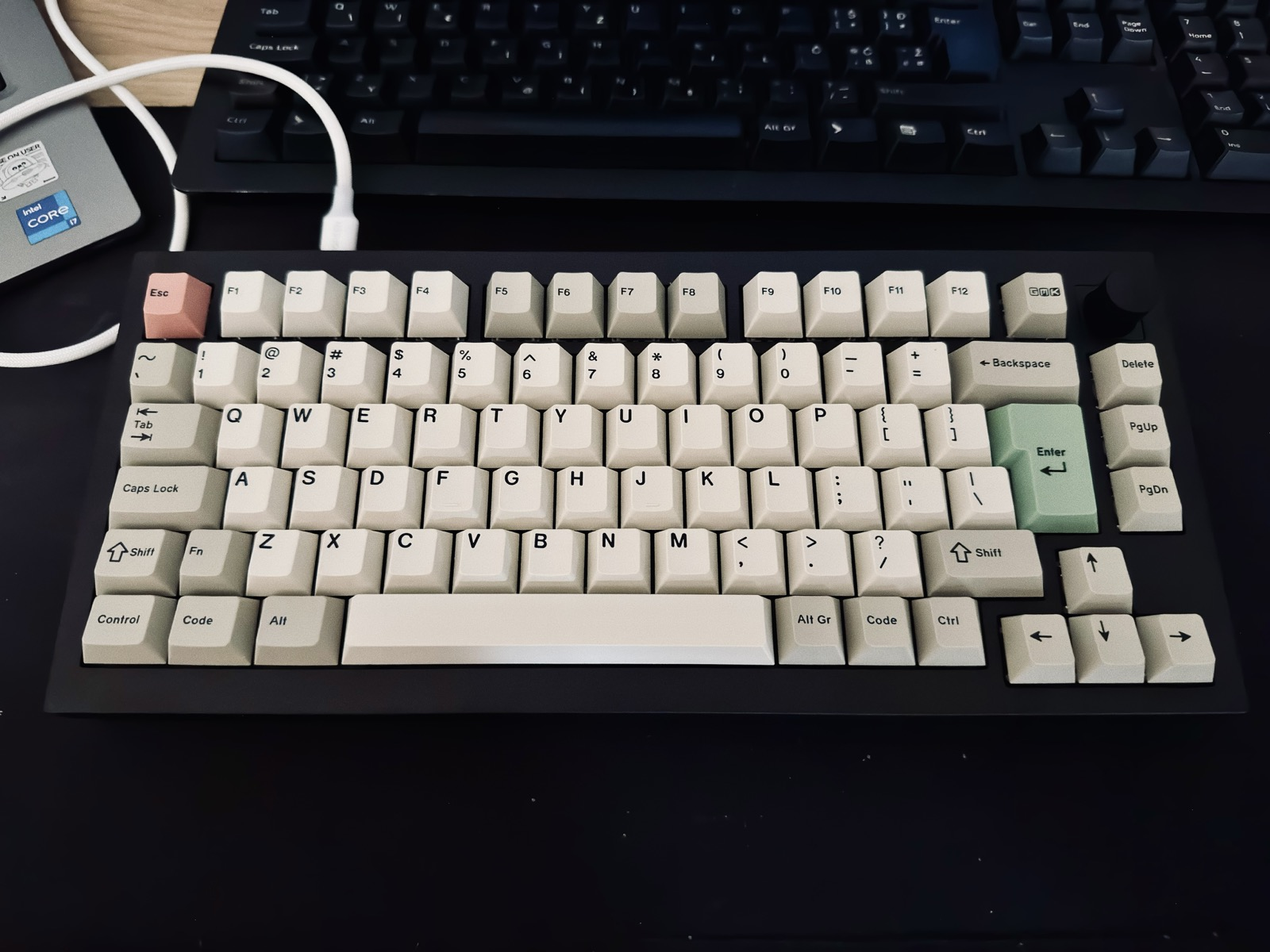
Hello Q1 Max, pictured the whole five minutes before replacing half of it!
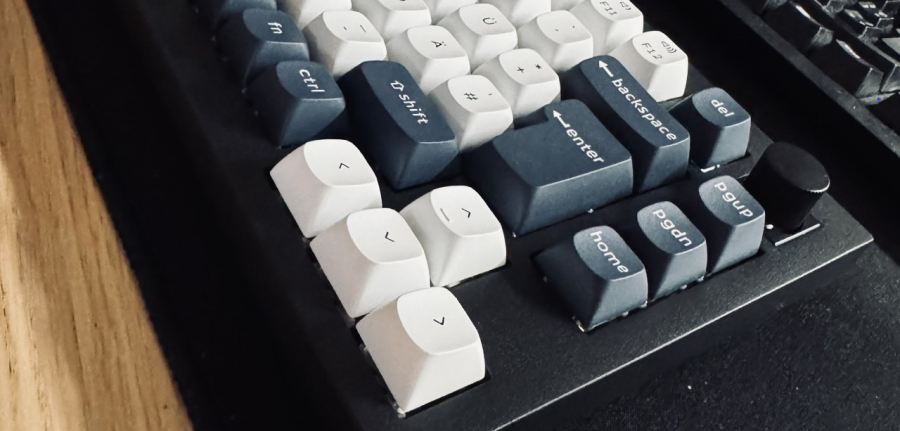
As the front lip is much taller than on my old Das Keyboard, I tried using the official Keychron palm rest, but after a week or two, threw it out. I hover over the keyboard and there is nothing to improve in that department.
Switches
Initially I have picked up Gateron Jupiter Banana switches from the prebuilt selection.
That decision made my life way harder, as the stock for my pick was really low in EU.
So in the end I have ordered directly from China.
Keychron fulfilled the warranty, as bottom case was scratched (they sent me full bottom case with battery) and one of the Alt keycaps was broken (recieved a replacement).
Gateron Oil Kings
I used Gateron Jupiter Banana for a while, but they were too loud for my preference. I felt that “P” profile really smacked the keycap to the case and they were pretty loud.
After trying co-workers Yunzii linears, I had to try something different, jump to the dark side, literally…
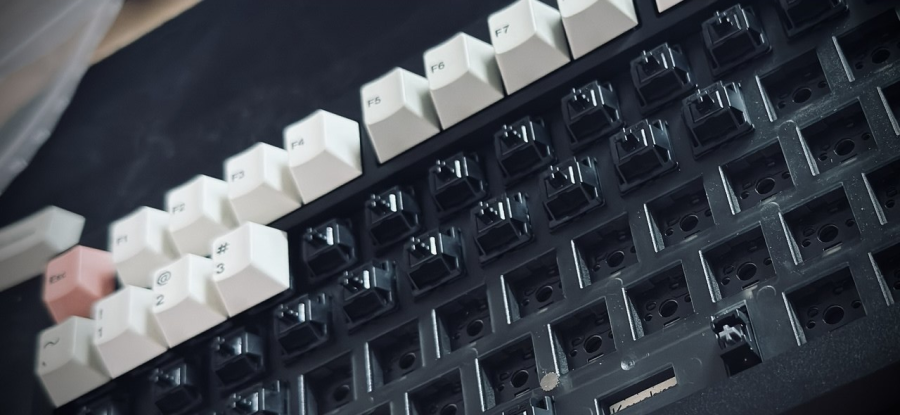
I wanted to try something quieter, thocky and linear. So I ordered some Gateron Oil Kings, if internet was to be trusted, the end-game linear switches. Installed them on 2026-05-01 to test them out. I never thought I am a linear guy, but as things stand it sure looks like I am one indeed…
Way less bottom out hits are occuring, so the loudness is significantly reduced.
I don’t care about RGB, so no worries that these black cased switches let almost no light through.
Looks like this is it.
Comparison
| x | Gateron Oil King | Gateron Jupiter Banana |
|---|---|---|
| Type | Linear (Smooth) | Tactile (Bumpy) |
| Actuation Force | 55g | 59g |
| Bottom-out Force | 80g | ~65g |
| Stem Material | POM (Black) | POM (Yellow) |
| Housing | Nylon Top / INK Material Bottom | Polycarbonate Top / Nylon Bottom |
| Factory Lube | Excellent (Heavy) | Good (Light) |
| Sound Profile | Deep, “Thocky,” Muted | Bright, Marbly, “Clacky” |
Keycaps
The keyboard came equipped with Keychrons own KSA double-shot PBT keycaps in DE-ISO layout. Colors were nice, but not really my cup of tea, also the high KSA profile although very pretty, was just too high for my liking. So I went with what I knew best, from OEM to Cherry profile.
GMK Classic Beige
I decided to go all in, endgame from the start, probably could get similar quality and even better quality PBT plastics directly from China, but I wanted to support EU intelectual property.
It is the Classic Beige TKL set with some extras listed below. The look is based on GMK 9009 set that was inspired by Cherry G80-9009 board designed in the nineties for Reuters finance department.
I have put some foam in the spacebar to kill the echo. I feel no difference.
The keycaps are pretty susceptible to damage from keycap pullers, ask me how I know. But nothing major, if you really look at the bottom line of the keycap housing you can see some dents.
UK-kit
To set up an ISO layout, one needs to obtain the “UK-kit”, or any other “*-kit” extension. Big ISO Enter, small ISO left Shift etc.
Accent kits
3C - red, I am using the Esc and Enter keys as accent keys. I also have 3A - green, but I did not find a way to make it look good. Personally I could live without them, as labels on them are just a tad blurred. This is more noticeable on the green variant.
Icons Mod
For a while I was testing the “Icons mod”, to see if it fits the look. Based on the old G80, they have used a mixture of icon and text labels on the keycaps. But somehow the basic text labels look better that pure icons, so I decided to stick with originals.
Retro Extension
In my opinion not worth it, I thought it would be a great addition to have a see through Caps Lock key, but as it turns out the labels are dye sublimated. So they do not go very well with nice double shot style of the rest of the keycaps. Too bad this is not mentioned anywhere on the website.
Command Kit
Used to make the keyboard more Apple-like.
Custom Layout
Modified the last column on the right side, so the keys are in this order:
F13DeletePgUpPgDn
This way, Delete is much closer, or so I think, time will tell. I still let F13 binded to delete, so I can test which position suits me better.
Initial usage has shown that probably the fact that the upper position is better as it is really seperated from other keys.
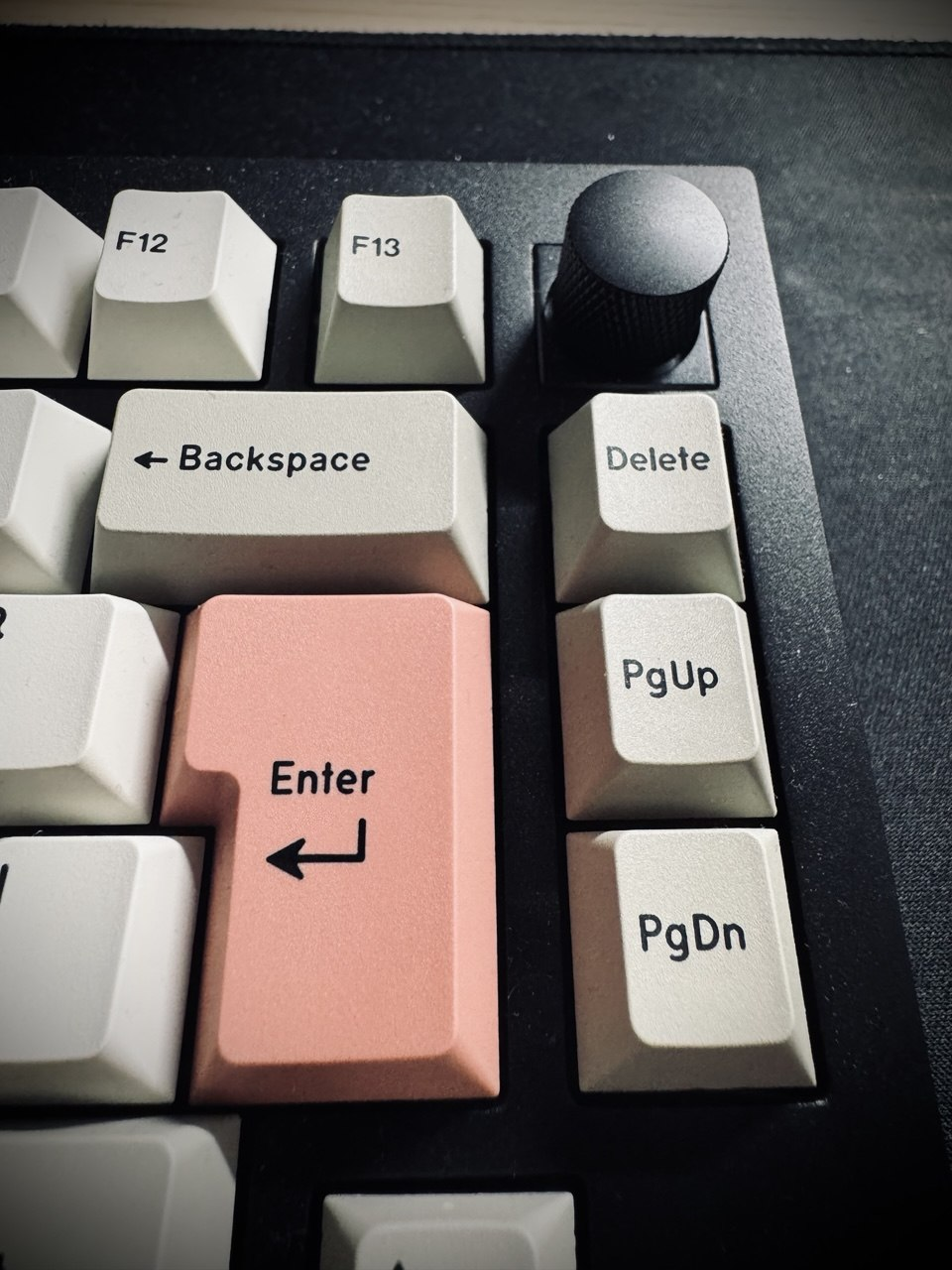
First row (F) was left default except the mentioned last key F13.
Another custom thing is Fn key besides the left Shift.
Looks nice, as the Fn key is gray, so more in line with ANSI colorway with longer left shift.
I am somwehow used to having Fn on the left hand side, most of the laptops that I have used, had it placed bottom left, so this is a nice approximation.
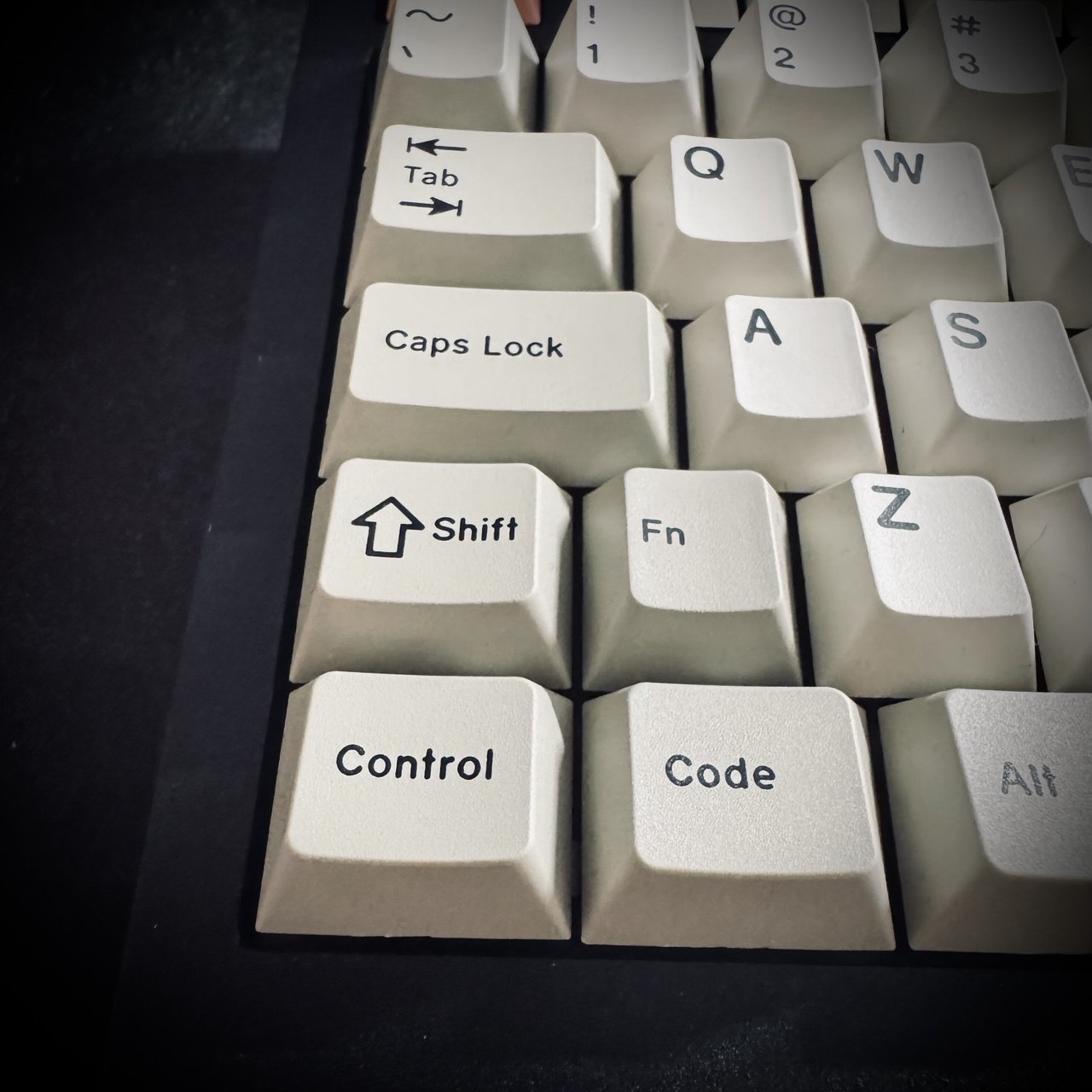
Bottom row was Control, Code, Alt, Space, Alt Gr, Code and Ctrl.
After switching to macOS, I have set up the bottom row to: Control, Option, Cmd and Cmd, Opt, Code.
I have edited the Layout3, accessible by holding Fn to set up arrows to PgUp,PgDn, Home and End. F13 puts computer to sleep.
Conclusion
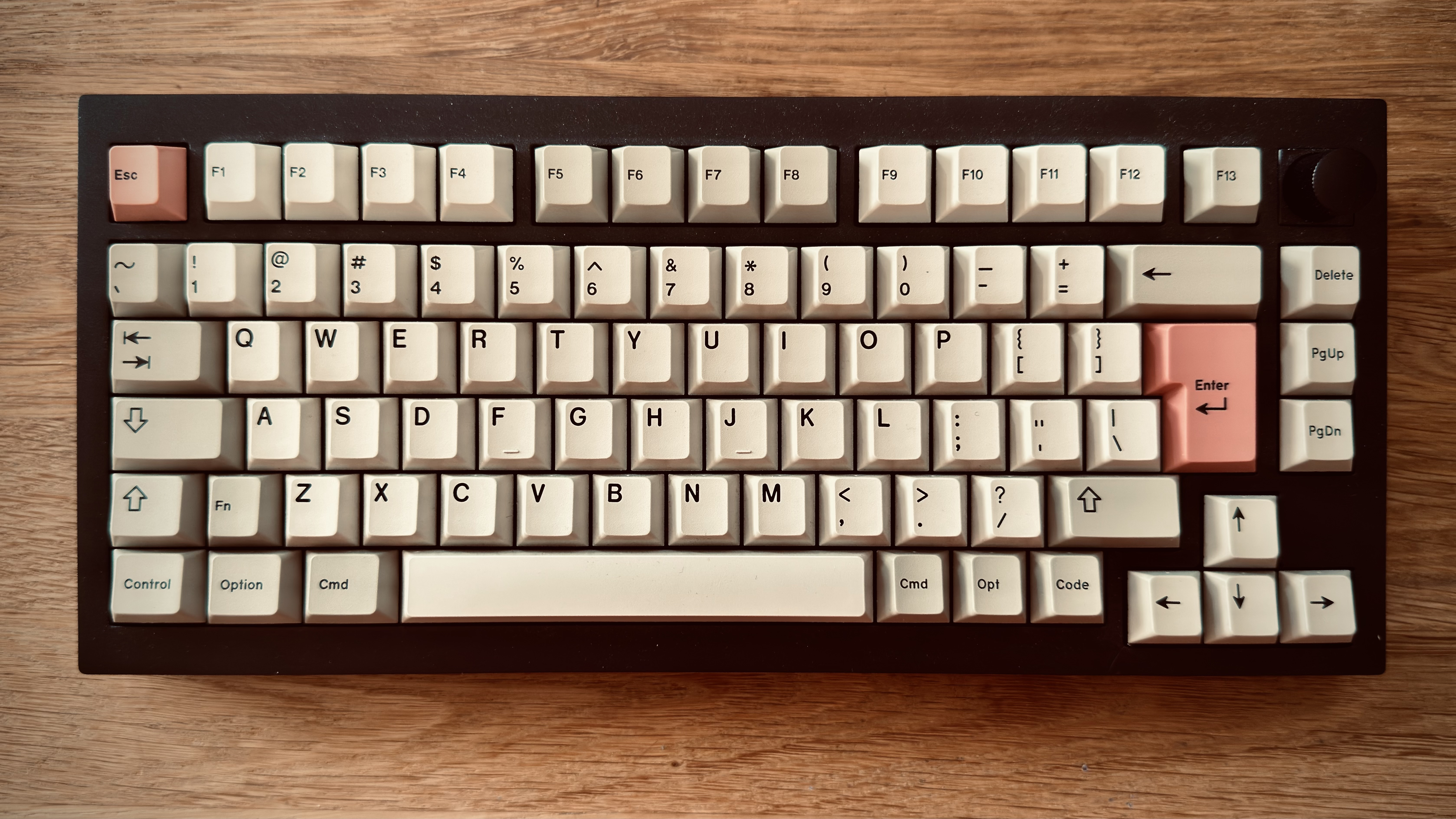
The typing experience is miles apart from the old keyboard, especially the stabilized keys like Space.
Battery on BT connections looks very promising. using it for a few months never recharged.